About AR Trace Art & Sketch
🎨✨ Ever wished you could draw what you see, not just what you imagine? With AR Drawing: Trace Art App, your phone becomes a magical AR lightbox that projects any picture onto paper so you can trace, sketch and learn to...
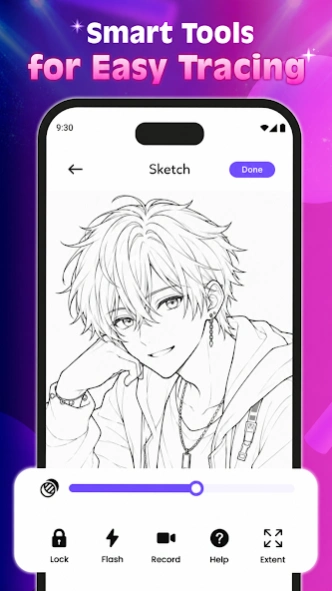
🎨✨ Ever wished you could draw what you see, not just what you imagine? With AR Drawing: Trace Art App, your phone becomes a magical AR lightbox that projects any picture onto paper so you can trace, sketch and learn to draw easily – even if you’re a complete beginner. Just place your phone above your notebook, look through the screen and follow the lines.
🧑🎨 What you can do with AR Drawing: Trace Art App:
- Trace with your camera by overlaying photos, characters or objects directly onto your paper and following the lines in real time
- Use built-in templates with anime, cartoons, animals, flowers, cars, people, nature and more to spark ideas instantly
- Import your own pictures from the gallery to trace favorite characters, logos, portraits or any image you love
- Practice real sketching skills and learn proportions, shapes and line flow without staring at a blank page
🖌️ Smart tools that make tracing feel natural:
- Adjust opacity so the image is comfortable to trace while still seeing your pencil lines clearly
- Zoom and move the image to focus on details or view the whole composition like a real art projector
- Rotate and flip the picture to match your drawing angle or paper position
- Optionally record your drawing process as a video so you can rewatch your progress or share satisfying sketch videos
- Enjoy a simple, clean interface designed so you can stay in the drawing flow, not get lost in settings
📖🌈 Save, share and enjoy your art:
- Save your finished drawings to your phone and build your own sketch gallery
- Share your sketches or drawing videos with friends, family or on social media
- Look back at your older drawings and see how your lines become cleaner and more confident over time
✏️💡 Perfect for:
- Complete beginners who think they “can’t draw” but want a fun, easy way to start
- Hobby artists practicing line art, poses, faces or objects from reference photos
- Students who need quick sketches for notes, design ideas or creative projects
- Parents and kids looking for a cozy, creative drawing activity to do together at home
🚀🌟 Download AR Drawing: Trace Art App now and start tracing, sketching and bringing your ideas to life on real paper with the magic of AR.
Previous Versions
Here you can find the changelog of AR Trace Art & Sketch since it was posted on our website on 2026-01-12 14:36:47.
The latest version is 1.0.8 and it was updated on 2026-10-07 07:16:54. See below the changes in each version.
AR Trace Art & Sketch version 1.0.8
Updated At: 2026-06-16
Changes: - Fix bugs
- Enhance experience
AR Trace Art & Sketch version 1.0.7
Updated At: 2026-06-06
Disclaimer
Official Google Play Link
We do not host AR Trace Art & Sketch on our servers. We did not scan it for viruses, adware, spyware or other type of malware. This app is hosted by Google and passed their terms and conditions to be listed there. We recommend caution when installing it.
The Google Play link for AR Trace Art & Sketch is provided to you by apps112.com without any warranties, representations or guarantees of any kind, so access it at your own risk.
If you have questions regarding this particular app contact the publisher directly. For questions about the functionalities of apps112.com contact us.